How to check your iPhone battery percentage

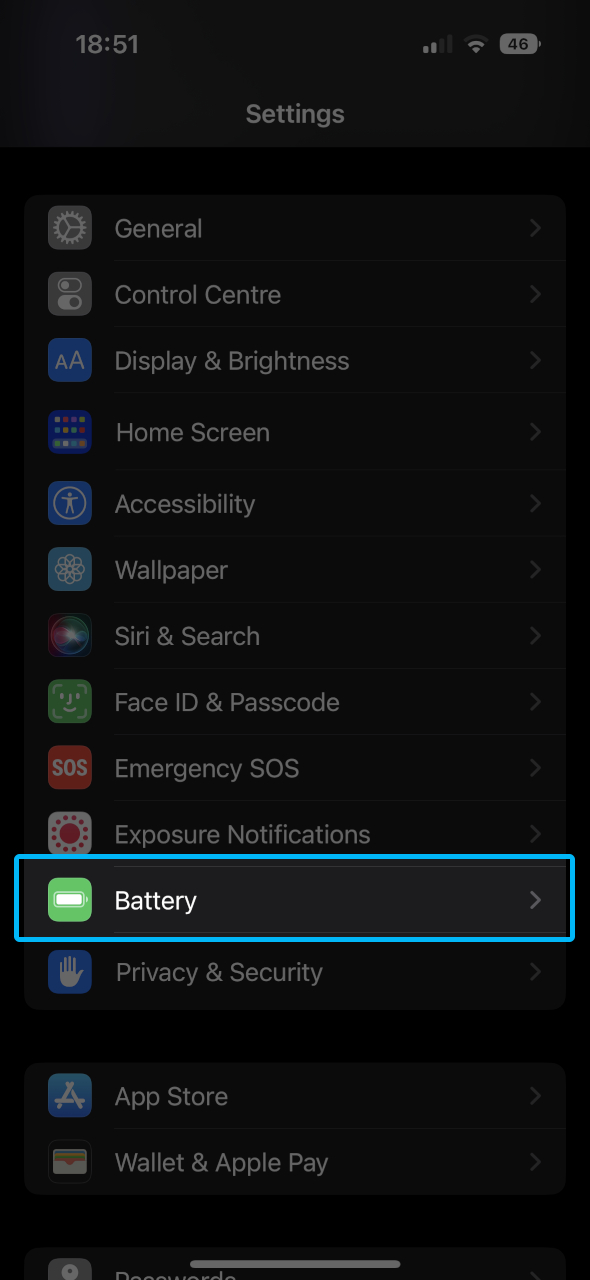
1. Go to 'Settings'


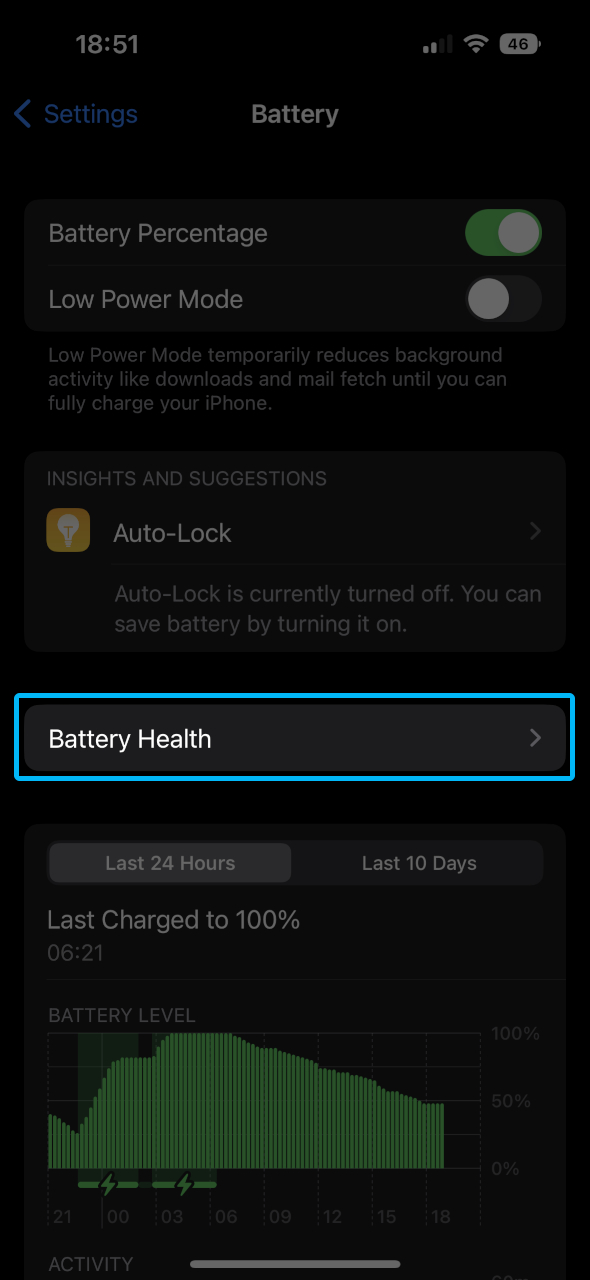
2. Go to 'Battery'


3. Go to 'Battery Health'


4. View 'Maximum Capacity'


Make sure that the Maximum capacity is 80% or more. If your iPhone has a battery health less than 80% then we may offer you a reduced value or classify the iPhone as 'Faulty' as we cannot sell this device on without replacing the battery.